
Free Online MathType Editor
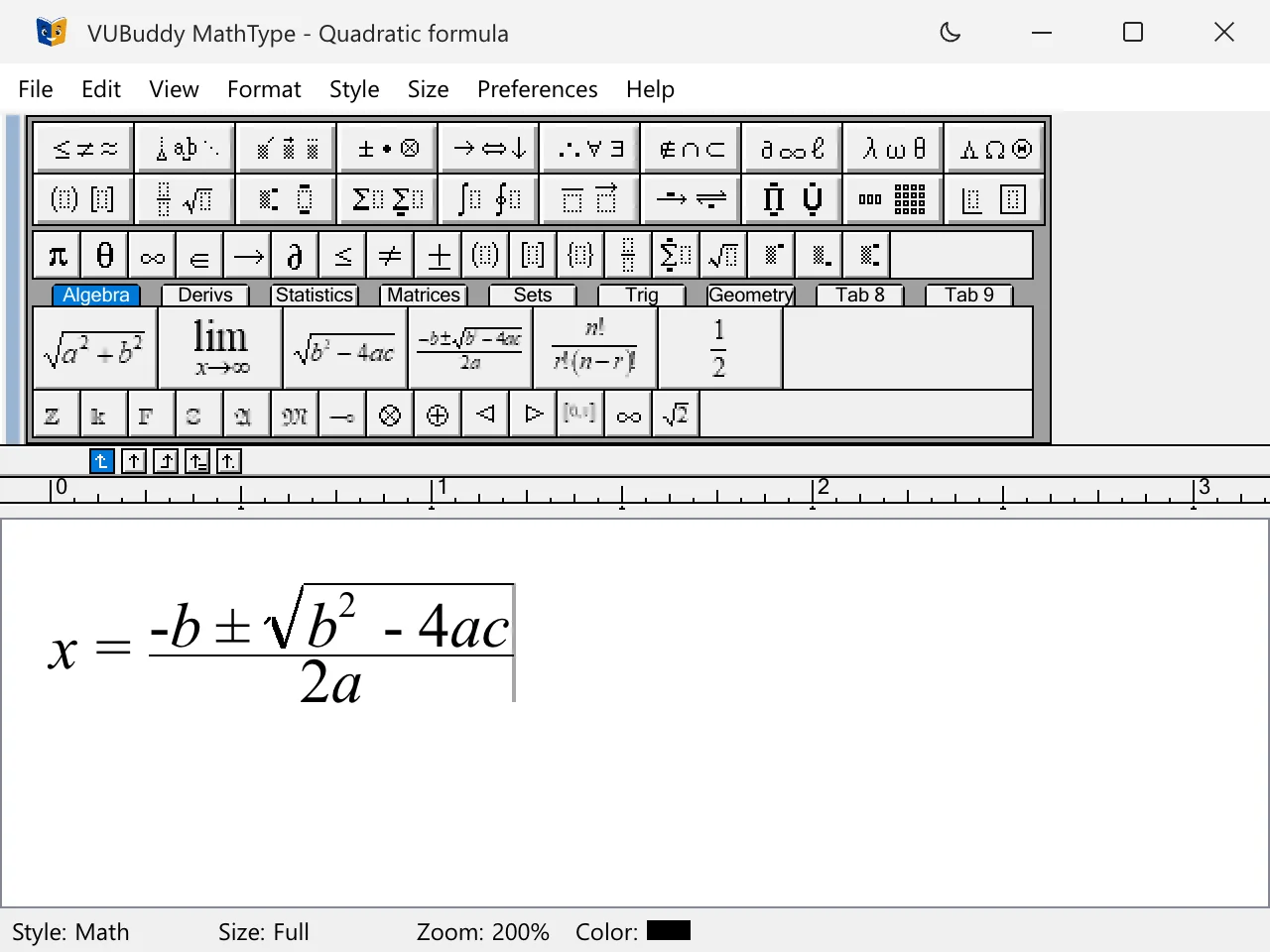
Type equations with the same menus, palettes and keyboard shortcuts as MathType on Windows, right here in your browser. Nothing to download, no 30-day trial and no product key. When you’re done, paste the equation into Word, or copy it as LaTeX.
Opens in a new tab. Works on Windows, Mac, Chromebook and phones.
- Free
- No download
- No product key
- Same shortcuts
- Paste into Word
- LaTeX and MathML
Already have LaTeX? Open it in the editor
Type or paste LaTeX like \frac{a}{b} or \sqrt{x}, or paste MathML. Press Open in editor and keep editing with the palettes and shortcuts.
x = \frac{-b \pm \sqrt{b^{2} - 4ac}}{2a}Example equations to open and edit
Quadratic formula
x = \frac{-b \pm \sqrt{b^{2} - 4ac}}{2a}A fraction with a square root and ± in the numerator.
Open in editorDerivative from first principles
f'(x) = \lim_{h \to 0} \frac{f(x+h) - f(x)}{h}A limit with h → 0 under it and a fraction beside it.
Open in editorDefinite integral
\int_{a}^{b} f(x)\,dx = F(b) - F(a)An integral with limits, from the fundamental theorem of calculus.
Open in editorAbsolute value as cases
|x| = \begin{cases} x, & x \ge 0 \\ -x, & x < 0 \end{cases}A piecewise function with a brace and two rows.
Open in editorTaylor series of eˣ
e^{x} = \sum_{n=0}^{\infty} \frac{x^{n}}{n!} = 1 + x + \frac{x^{2}}{2!} + \frac{x^{3}}{3!} + \cdotsA sum to infinity with factorials, written out in full.
Open in editorSum of the first n numbers
\sum_{i=1}^{n} i = \frac{n(n+1)}{2}A sum with limits, as proved by induction.
Open in editorBinomial theorem
(a+b)^{n} = \sum_{k=0}^{n} \binom{n}{k} a^{n-k} b^{k}A sum with a binomial coefficient and powers.
Open in editor3×3 matrix
A = \begin{pmatrix} 2 & -1 & 0 \\ 1 & 3 & 4 \\ 0 & 5 & -2 \end{pmatrix}A matrix in round brackets, the way Ctrl+9 then Ctrl+M, 3 makes it.
Open in editorSample standard deviation
s = \sqrt{\frac{\sum_{i=1}^{n} (x_{i} - \bar{x})^{2}}{n - 1}}A square root over a fraction with a sum, x̄ and subscripts.
Open in editorNormal distribution
f(x) = \frac{1}{\sigma\sqrt{2\pi}}\, e^{-\frac{(x - \mu)^{2}}{2\sigma^{2}}}Greek letters and a fraction inside a power of e.
Open in editorNewton–Raphson method
x_{n+1} = x_{n} - \frac{f(x_{n})}{f'(x_{n})}Subscripts and a derivative in the denominator.
Open in editorEquation of motion
s = ut + \frac{1}{2}at^{2}A short physics formula with a fraction and a power.
Open in editorEverything you’d open MathType for, in a browser tab
The layout you already know
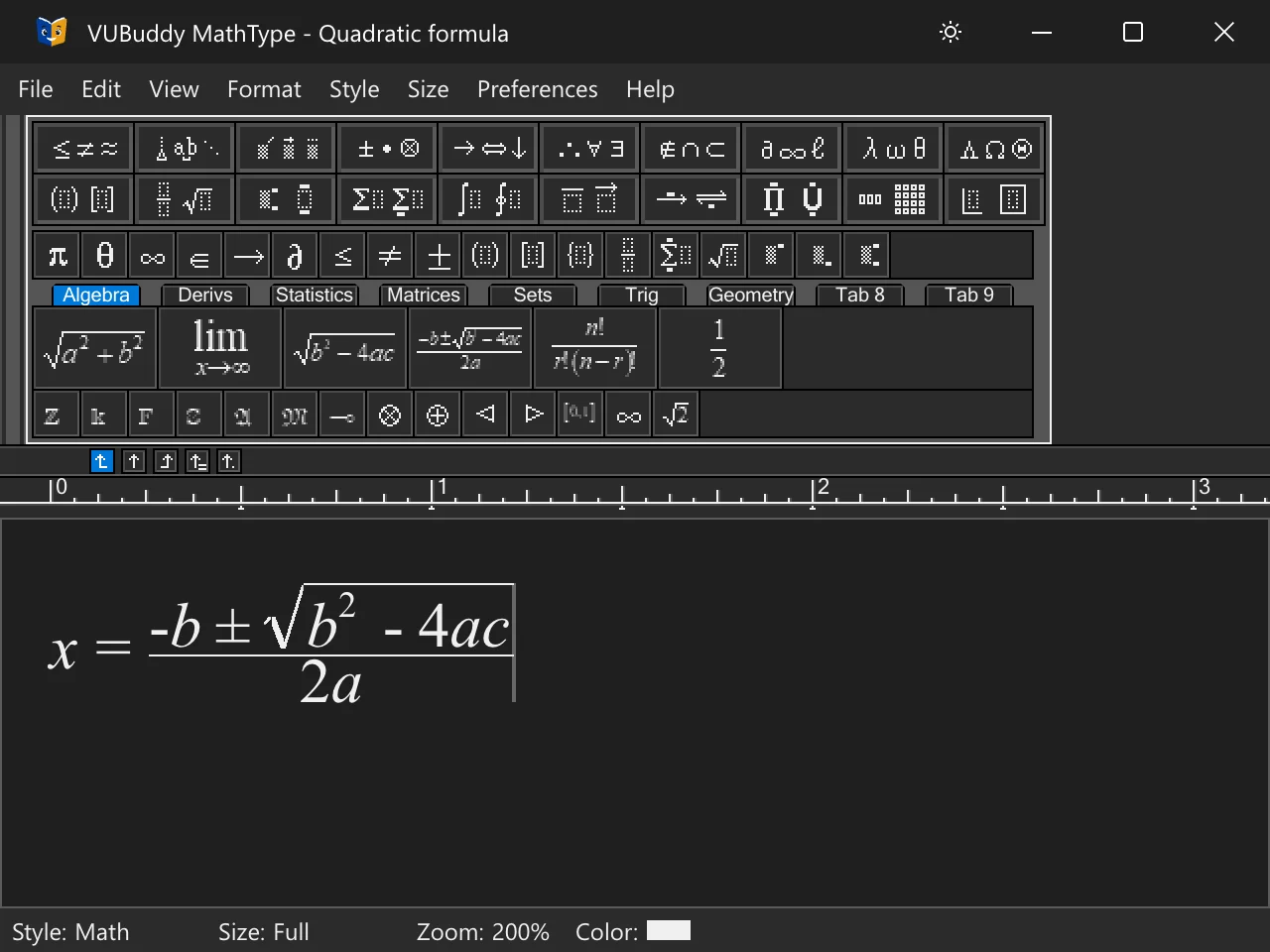
File, Edit, View, Format, Style and Size menus, the two rows of palettes and the tabbed template bar, all where MathType puts them. If you’ve used MathType, you can use this without looking for anything.
The same keyboard shortcuts
Ctrl+F for a fraction, Ctrl+H for a power, Ctrl+R for a square root and Ctrl+G then a letter for Greek. What you learn here works in MathType 6.8 and MathType 7 on any computer.
Learn the shortcuts as you go
A built-in course takes you through 87 shortcuts in 12 short lessons, then has you build 12 real exam equations. The keys show on screen as you press them, and mistakes are pointed out.
Paste into Word
Copy an equation and paste it into Word or LibreOffice, where it stays an equation you can edit, or as a picture in apps that only take images.
Convert LaTeX to MathType and back
Paste \frac{a}{b} or MathML and it turns into an equation you can edit with the palettes. Copy any equation back out as LaTeX or MathML for a website, a forum or a LaTeX document.
Save as an image or a file
Save equations as PNG, SVG, GIF or EPS pictures, or as MathML and LaTeX. Every file keeps the equation inside, so you can open it again and keep editing.
Works on any device, even offline
Windows, Mac, Chromebook, Android or iPhone: if it has a modern browser, it works. Once the editor has opened, it keeps working without internet, and Chrome and Edge can install it like an app.
How to use MathType online
- 1 Press Open the editor, or pick one of the example equations above.
- 2 Type with MathType’s shortcuts: Ctrl+F for a fraction, Ctrl+H for a power, Tab to move to the next box. Or click a symbol in the palettes.
- 3 Press Ctrl+A to select the whole equation and Ctrl+C to copy it.
- 4 Paste it into Word with Ctrl+V, or save it as a PNG from the File menu.
Practise for the exam on the same layout
In an exam, there’s no time to hunt for the fraction template or remember where the integral sign lives. If your exam or lab computer gives you MathType for typed math answers, every assignment you type here is practice for it: the menus, palettes and shortcuts are in the same places.
Start with the built-in shortcut course (87 shortcuts in 12 lessons), then build the 12 exam-style equations. Ctrl+F, Ctrl+H, Ctrl+L and Ctrl+R alone cover most fractions, powers, subscripts and roots without reaching for the mouse.
Online editor or install MathType?
| Feature | Installing MathType | VUBuddy’s online editor |
|---|---|---|
| Setup | Download, install, then activate with a product key | Opens in a few seconds |
| Cost | 30-day free trial, then a paid yearly subscription | Free, with no trial and no time limit |
| Works on | Windows and Mac | Any computer, Chromebook, tablet or phone with a modern browser |
| Layout and shortcuts | MathType’s | The same as MathType’s |
| Into Word | MathType tab in Word | Copy, then paste as an equation |
| LaTeX and MathML | Yes | Yes, in and out |
| Learn the shortcuts | Not built in | 87-shortcut practice course |
Looking for a MathType download?
MathType is a desktop program for Windows and Mac, made by Wiris. It comes with a 30-day free trial, and after that you need a paid subscription and a product key. That’s why so many students end up on “free download” sites, where old versions, fake keys and bundled malware are common.
If you only need to type equations for assignments, notes or exam practice, you don’t need to install anything. This editor opens in your browser, keeps working after the trial would have ended, and uses the same shortcuts. If you do need MathType on your own computer, download it only from the official Wiris website.
Open the editor, no downloadFor MTH, STA and PHY assignments
Many VU math, statistics and physics assignments ask for solutions typed with MathType or Word’s equation editor. Type them here from any computer, including the ones in the campus lab, then paste them into your Word file. Open your course for handouts and past papers.
MathType 6.8 and 7 shortcuts that work here
| Action | Shortcut |
|---|---|
| Fraction | Ctrl+F |
| Power (superscript) | Ctrl+H |
| Subscript | Ctrl+L |
| Square root | Ctrl+R |
| Round brackets | Ctrl+9 |
| Greek letter, like π | Ctrl+G thenP |
| Integral with limits | Ctrl+I |
| 3×3 matrix | Ctrl+M then3 |
| Text style, for words | Ctrl+Shift+E |
| Back to math style | Ctrl+Shift+= |
On a Mac, use ⌘ in place of Ctrl. For a two-part shortcut like Ctrl+G then P, let go of both keys before pressing P.
Learn all 87 MathType shortcuts, step by stepQuestions about the online MathType editor
Is there an online version of MathType?
MathType itself is a desktop program for Windows and Mac, with paid add-ons for Google Docs and online learning platforms. VUBuddy’s editor works the same way in a browser: the same menus, palettes and keyboard shortcuts, and equations you can paste into Word. It’s free.
Can I get MathType for free?
MathType has a 30-day free trial, then needs a paid subscription. This editor is free with no time limit, and you don’t need a download or a product key. It works like MathType, so the shortcuts you learn here work in MathType too.
Is there a free alternative to MathType?
Yes. This editor is a free alternative that keeps MathType’s layout and shortcuts, so you don’t have to learn a new tool. Other free editors, like LaTeX editors or symbol keyboards, work differently from MathType.
How do I use MathType online?
Press Open the editor, type your equation with the palettes or shortcuts like Ctrl+F for a fraction, then press Ctrl+A and Ctrl+C to copy it. Paste it into Word with Ctrl+V, or save it as a picture from the File menu.
Do I need to download anything or enter a product key?
No. The editor runs in your browser. There’s nothing to install, no account to make and no key to enter.
Will this help me in an exam that uses MathType?
Yes. The menus, palettes and shortcuts are in the same places as in MathType on Windows, so practising here makes you faster when you sit at an exam or lab computer with MathType.
How do I put an equation into Word?
Press Ctrl+A to select the equation and Ctrl+C to copy it. In Word, press Ctrl+V. It pastes as a Word equation you can still edit. LibreOffice works the same way.
Can I convert LaTeX to a MathType equation?
Yes. Paste LaTeX like \frac{a}{b} into the box on this page and press Open in editor, or paste it straight into the editor. To go the other way, choose MathML or TeX in Preferences › Cut and Copy Preferences, then copy the equation, or save it as a LaTeX file.
Do the MathType shortcuts work here?
Yes. The editor uses the default shortcuts of MathType 6.8 and MathType 7, which are the same in both versions: Ctrl+F, Ctrl+H, Ctrl+G then a letter and the rest all work. A few keys, like Ctrl+T and Ctrl+N, belong to the browser, so use the palettes for those.
Can I save an equation as a picture?
Yes. Use File › Save As and choose PNG, SVG, GIF or EPS. The picture keeps the equation inside, so opening it again in the editor lets you keep editing.
Does it work on my phone, Mac or Chromebook?
Yes. It works in any modern browser on Windows, Mac, Chromebook, Android and iPhone. Typing with a keyboard is fastest; on a phone, use the palettes.
Is my equation saved?
The editor keeps your last equation in your browser on this device, so it is still there when you come back. Save anything important as a file from the File menu.
Is it free?
Yes, completely free. There’s no sign-up and no account: open the editor and start typing.
More free tools
MathType and Microsoft Word are trademarks of their owners. VUBuddy’s editor is not affiliated with Wiris or Microsoft.